Why is my BuckMe transaction pending in GTA VI?
Sources checked
If a GTA VI job paid you through BuckMe and your Checking account is full, continue the main story. Rockstar says an incoming payment held because of the limit is processed once the story unlocks a higher account tier. You can check the account on your character’s phone before doing anything with the money.
Find pending transactions in the BuckMe app
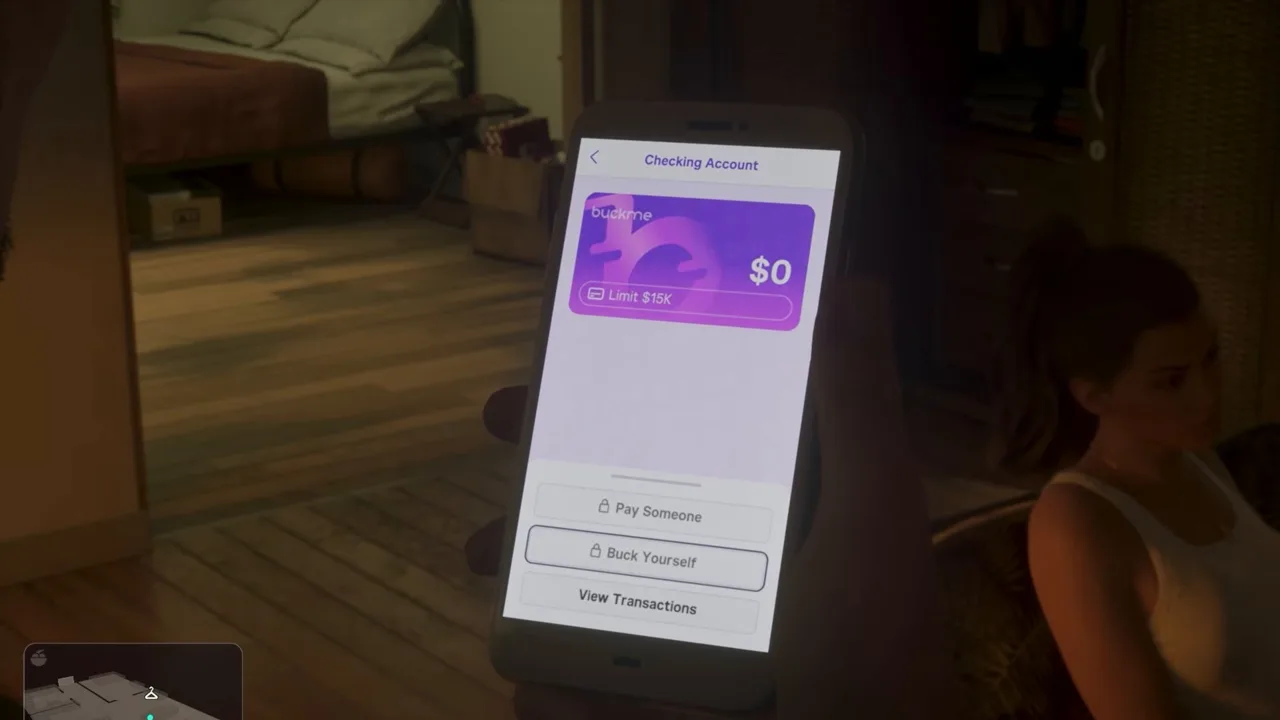
Open the in-game phone with Up on the D-pad and select the purple BuckMe icon. Open Checking Account. The card shows your current balance and limit, with View Transactions underneath. Check the payment there. The green wallet figure on the game screen counts the cash your character is carrying.
Check for a higher account limit as you play the story
Once you receive a BuckMe upgrade message, open Checking again. Compare the limit with the one you saw earlier, then review the transaction and balance. How To Video Game recorded an ATM deposit screen with a $15,000 limit and later received a Silver Checking notification showing a $100,000 limit. Your current tier is shown in your game.
Keep money available for the next purchase
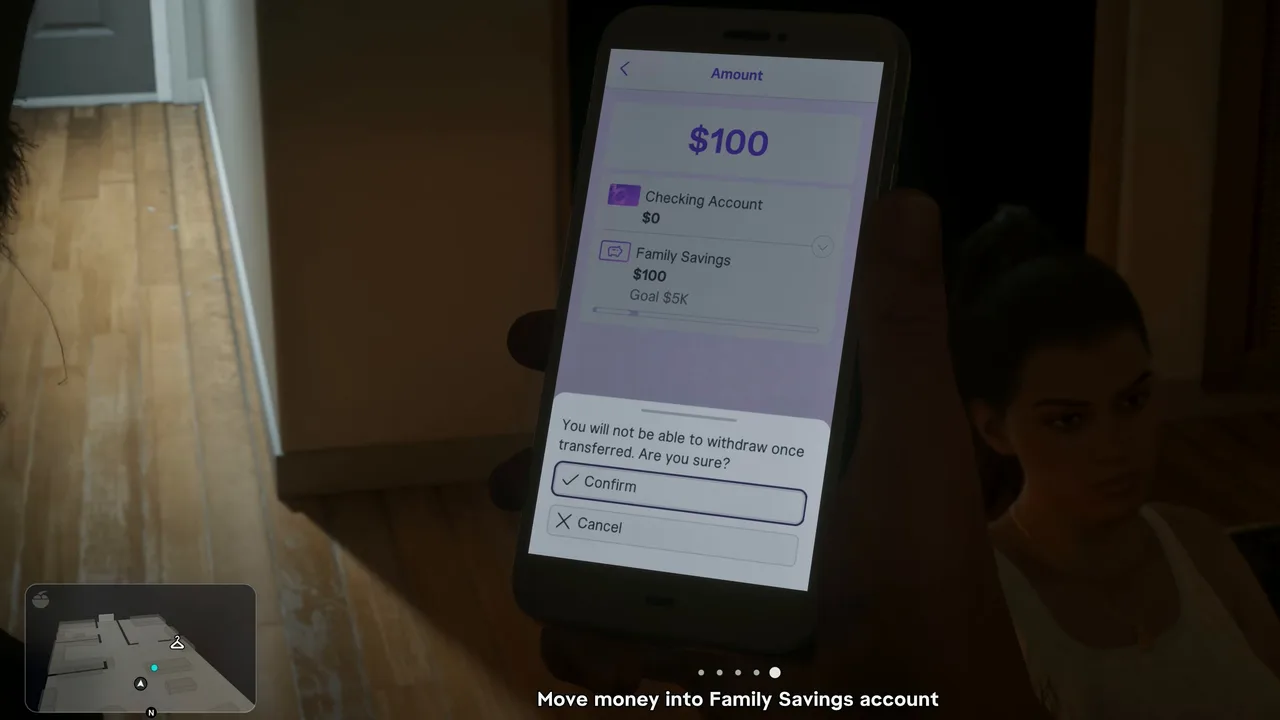
Family Savings has its own balance and savings goal. The Buck Yourself transfer screen warns that you cannot withdraw money once you send it there. You can read your Checking balance and transaction history without confirming a transfer. Keep funds you plan to spend in an accessible balance.