

How to pack a spare outfit and change clothes at your car in GTA VI
Sources checked
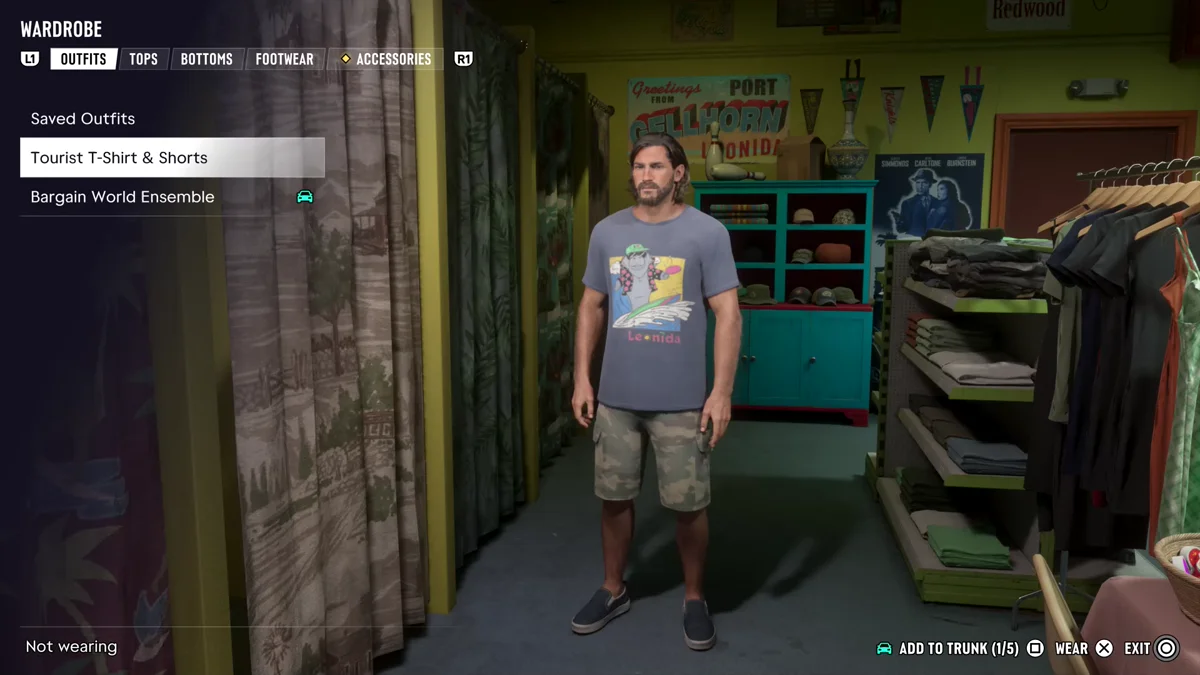
Open the safehouse wardrobe, select Outfits and highlight a set you own. Choose Add to Trunk and check for the car icon beside its name. At the back of your personal car, open Loadout and switch to Items to put it on.
Add a spare outfit at the wardrobe
Start at the wardrobe in your safehouse or the changing room in a clothing store. Choose the Outfits tab and highlight a complete outfit. For a set you saved yourself, open Saved Outfits and select its name.
- On the PS5 screen, Square assigns the highlighted set to the trunk. Cross (×) wears the set immediately.
- Check the row before you leave. A small car icon means the outfit is packed. The checkmark shows which outfit you are wearing.
- If the row already has a car icon, it is ready. Pressing Square again on that row removes it from the car.

Put on the packed outfit at your personal car
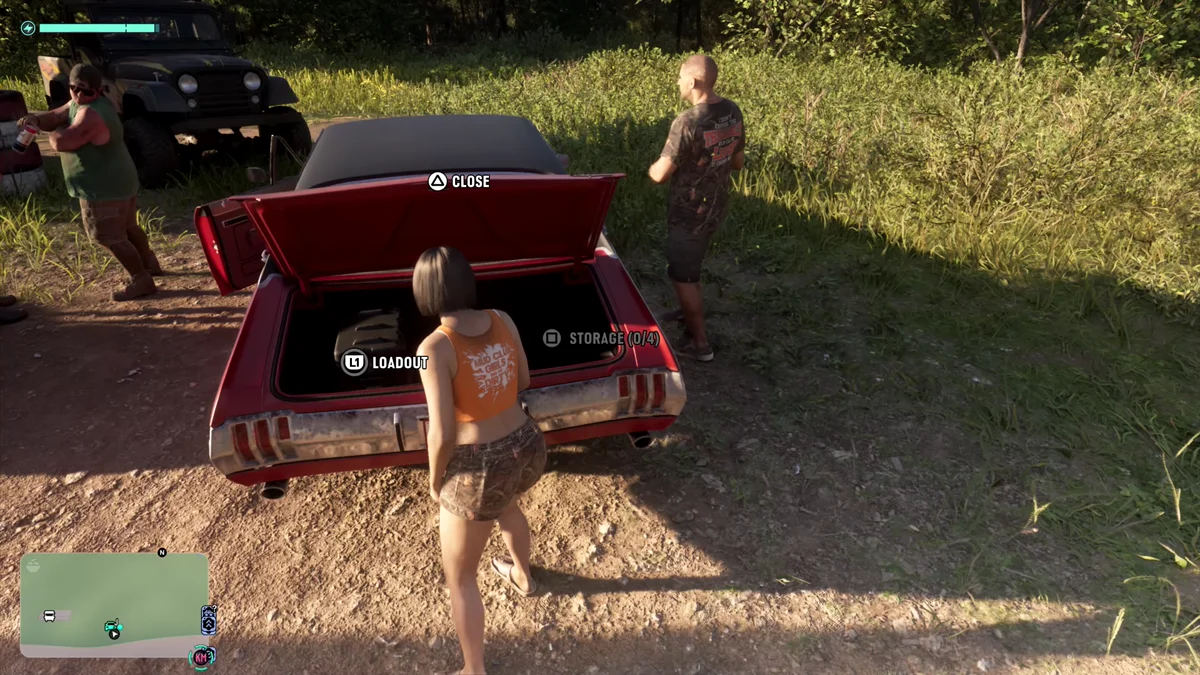
Walk to the back of your personal car. How To Video Game recorded the following prompts on PS5. If you see a Storage counter when the trunk opens, use the separate Loadout prompt for clothes.
- Open the trunk with Triangle. At the open trunk, use L1 for Loadout.
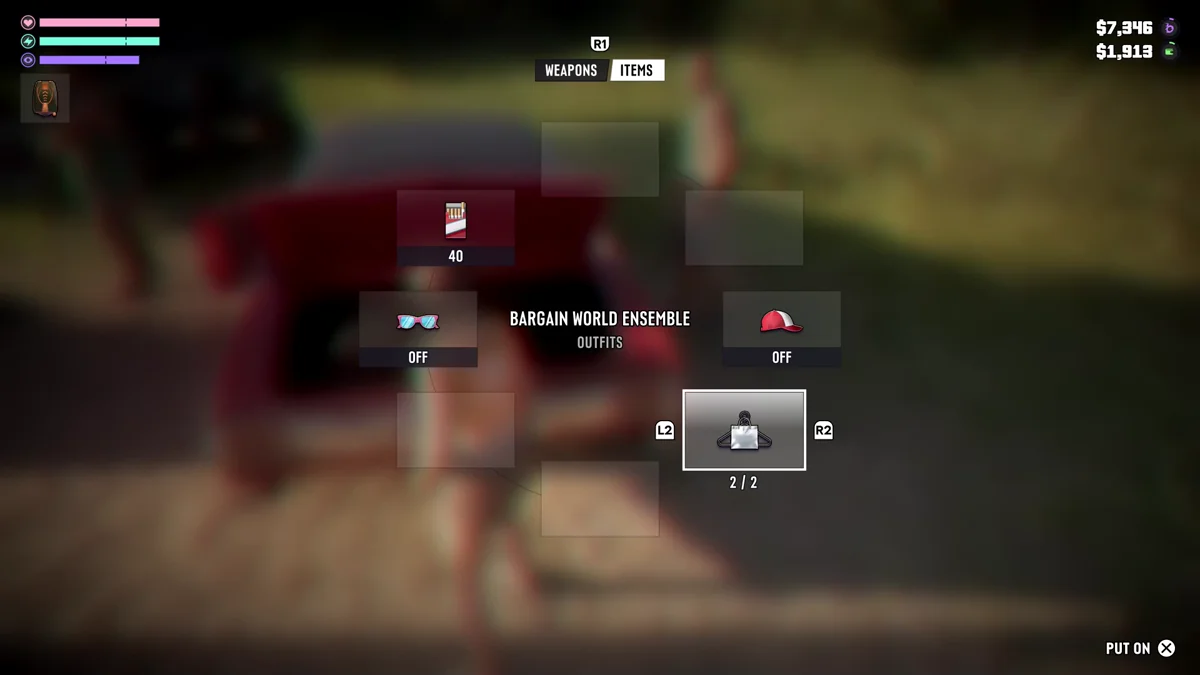
- Switch to Items with R1. Highlight the hanger at the lower right of the wheel. The highlighted outfit’s name appears in the center.
- Cycle with L2 or R2 until the name matches the set you packed. Press Cross (×) for Put On.
Free an outfit slot or check a missing set
Back at the wardrobe, highlight a row with a car icon. ViceManual’s PS5 capture shows one of five slots occupied. When all five are in use, choose a packed outfit to leave at home and use Square for Remove from Trunk. Check the counter, then add the replacement.
- If you wore or saved the replacement earlier, check its wardrobe row for the car icon before returning to the vehicle.
- If the correct row is marked, check the outfit names in the hanger slot on the Items tab at your personal car. The hat and glasses have their own slots.