

How to pet the cat at the Key Lento Mini Mart in GTA VI
Sources checked
Look around the Key Lento Mini Mart for a pale cat in an orange vest. Approach on foot and focus on the cat with L2 on PS5 or LT on Xbox. Choose Praise, then watch for the Pet prompt.
Find the Key Lento Mini Mart cat
In Key Lento, look for the blue and yellow shop with a green awning and a Mini-Mart sign above the glass door. If Pick Up Groceries is available in your story, selecting it under Optional on the Story map gives you a marker for the shop.
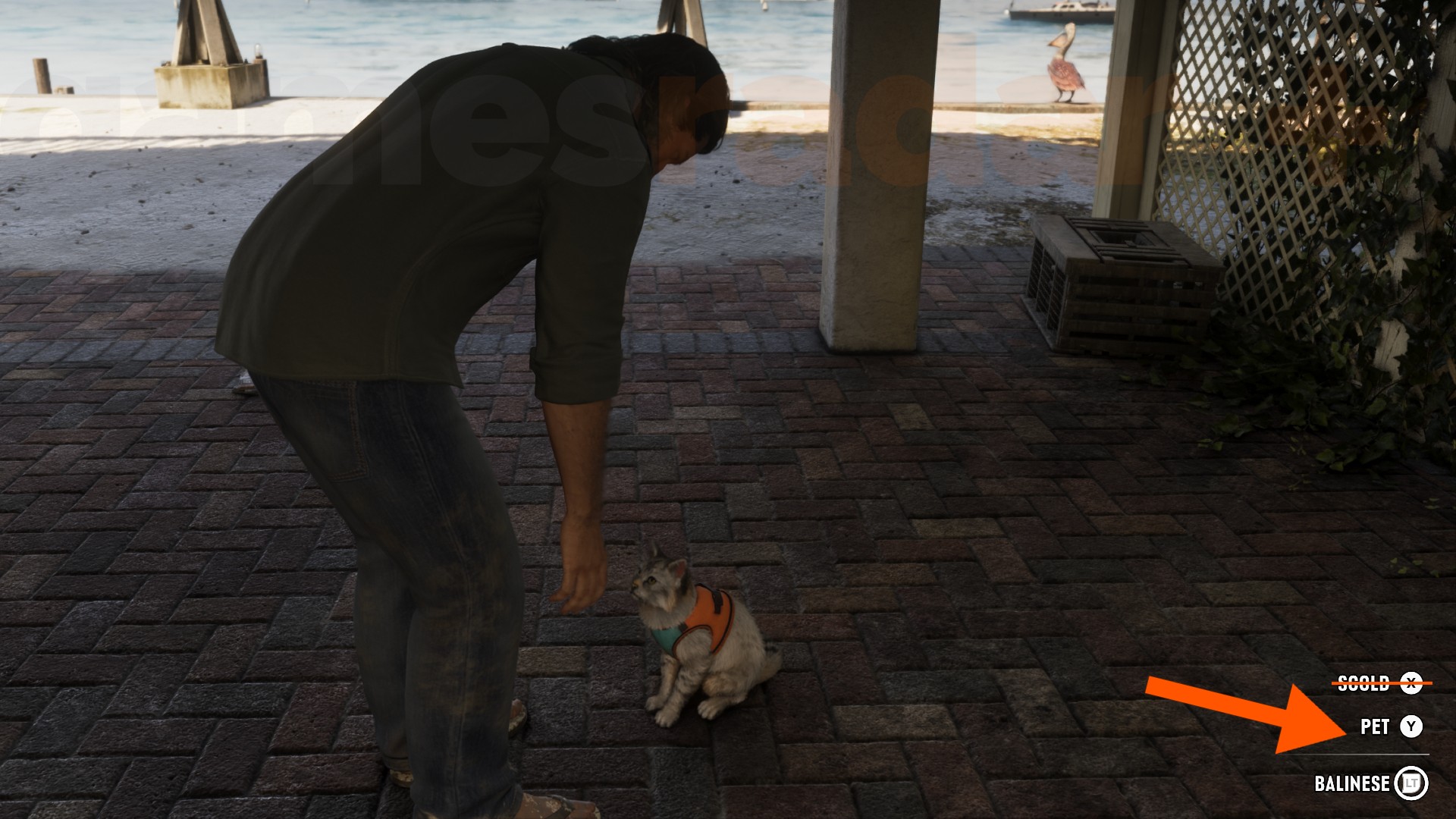
Look outside too. GamesRadar’s Danielle Rose photographed Jason with the cat on the street in front of the store. Its orange vest makes it easy to recognize. The screenshot shows one encounter, so the cat may be somewhere else when you arrive.
Focus on the cat and choose Praise until Pet appears
Walk up to the cat and face it. Use L2 on PS5 or LT on Xbox to bring up interactions. Rose reports that praising the cat a few times can bring up Pet. If the cat walks away, release focus, approach it again on foot and check the available prompts. You can come back another time if it stays out of reach.
- Choose Praise when you see it. Keep the cat in view and read the labels before pressing the next button.
- When Pet appears, choose it to stroke the cat. The captured Xbox screen shows Balinese beside LT and Pet beside Y. The nearby X action is Scold. On PS5 follow the button beside Pet on your own screen.
When Study appears on an unfamiliar animal
Choose Study to identify the animal for your collection. Hold the study button shown until the meter fills, then check Progress → Animals → Cats & Dogs for the breed. To pet the cat, focus on it again and look for the social prompts. Seeing a breed in your collection tells you it was studied. Seeing Jason bend down to stroke the cat confirms the Pet interaction.